 Secure Desk
Everything Your IT Team Needs. One Simple Platform.
From helping employees with everyday computer problems to managing devices across multiple locations, Secure Desk makes remote support easier to manage.
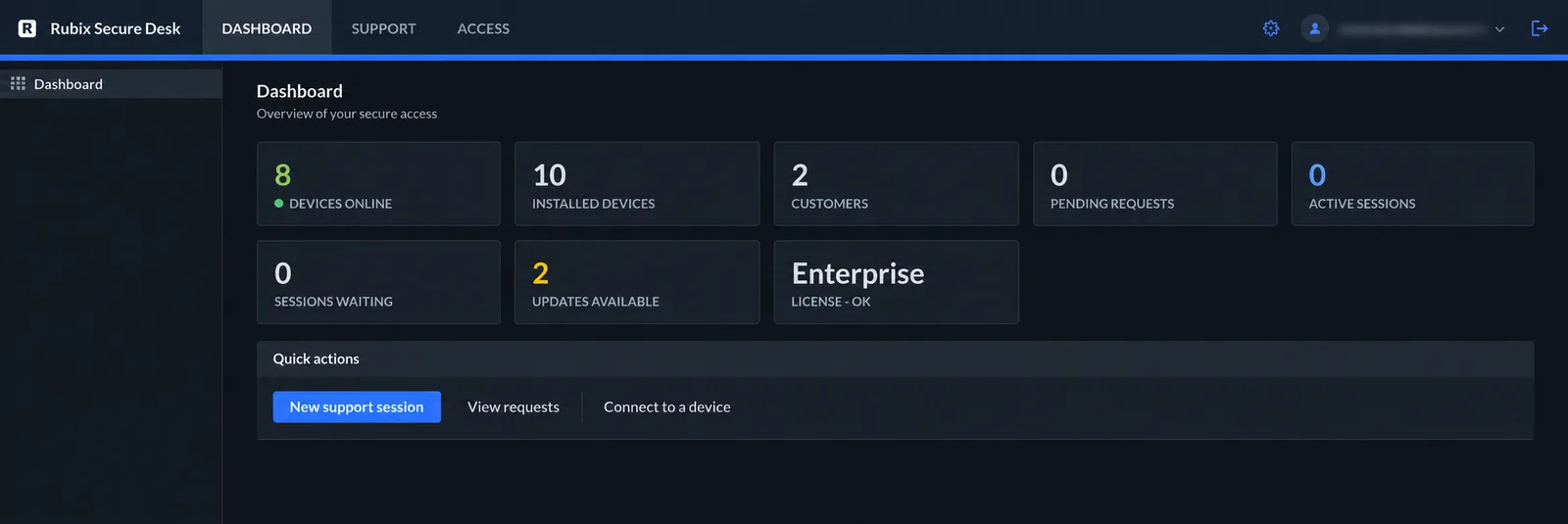
Simple on the surface. Solid underneath.
Secure Desk brings your technicians, your server and your Windows devices together.
Your browser console
Technicians sign in to your portal and work entirely in the browser — viewing screens, taking control and moving files.
Your Secure Desk server
A Linux host you run serves the portal, the join page and the relay that connects both sides.
Your Windows devices
A portable connector for one-off help, or an installed service for computers you reach any time.
Attended and unattended support, side by side.
Help someone who's at their computer
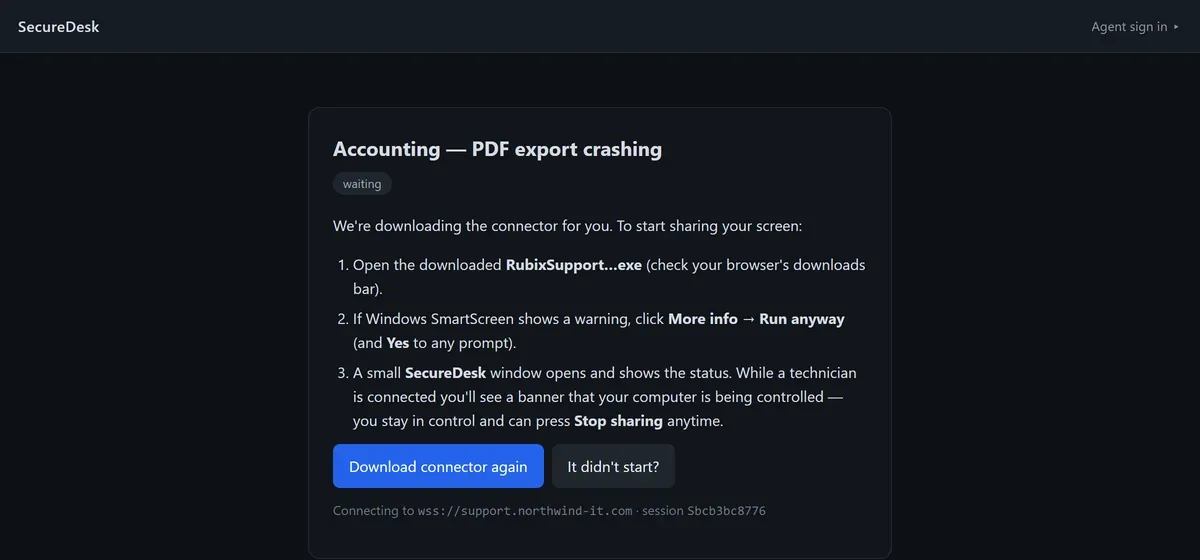
Create a session, send the link, and the user runs a small portable connector. Nothing is installed and no admin rights are needed. When they close it, access ends.
- Perfect for everyday helpdesk requests
- User stays in control and can stop sharing
- One-time or reusable links with an expiry
Reach enrolled computers any time
Install the Secure Desk service once. The device appears in your inventory and stays reachable across sign-in, lock and user switching — even when nobody is there.
- Access before anyone signs in
- Background troubleshooting tools
- Updates itself from your relay
See it. Control it. Fix it.
Open a live Windows desktop in your browser. Start in view-only mode, then turn on Control when you're ready to use the mouse and keyboard.

No technician app. Just a browser.
Your team works from any modern browser on any operating system. The same console opens persistent Windows desktops — that's our Web VDI.
- Nothing to install on technician machines
- Works from Windows, macOS or Linux browsers
- Same console for support and desktop access
The tools you reach for every day.
Secure connections
Every session is end-to-end encrypted, and both ends show a matching 6-digit code.
Learn moreFile transfers
Send a file to the user or request one back. Each transfer is checked with SHA-256 on arrival.
Learn moreDevice management
Track devices online, group them per customer, and push client updates from the portal.
Learn moreBackground tools
Open a SYSTEM command prompt on an enrolled PC without interrupting the person using it.
Learn moreSecure elevation
Need admin rights? Enter that machine's own admin account — it's used once and never stored.
Learn moreWeb VDI
Open a persistent Windows desktop in the browser, through a relay you run.
Learn moreDive into each part of Secure Desk.
Remote Support
Attended help from a simple link.
Learn moreUnattended Access
Enrolled devices, ready when you are.
Learn moreWeb VDI
Windows desktops in the browser.
Learn moreSecurity
How encryption and control work.
Learn moreHow It Works
Set up, connect, support.
Learn moreAI-Agent Desktops
Reach the desktops your agents use.
Learn moreTry every feature on the free Starter plan.
Install on your own server and connect your first Windows PC today.