 Secure Desk
Fix Problems Without Being There.
Help employees and customers wherever they are. Start a secure remote session, see what's happening, and work toward a solution without traveling to their location.
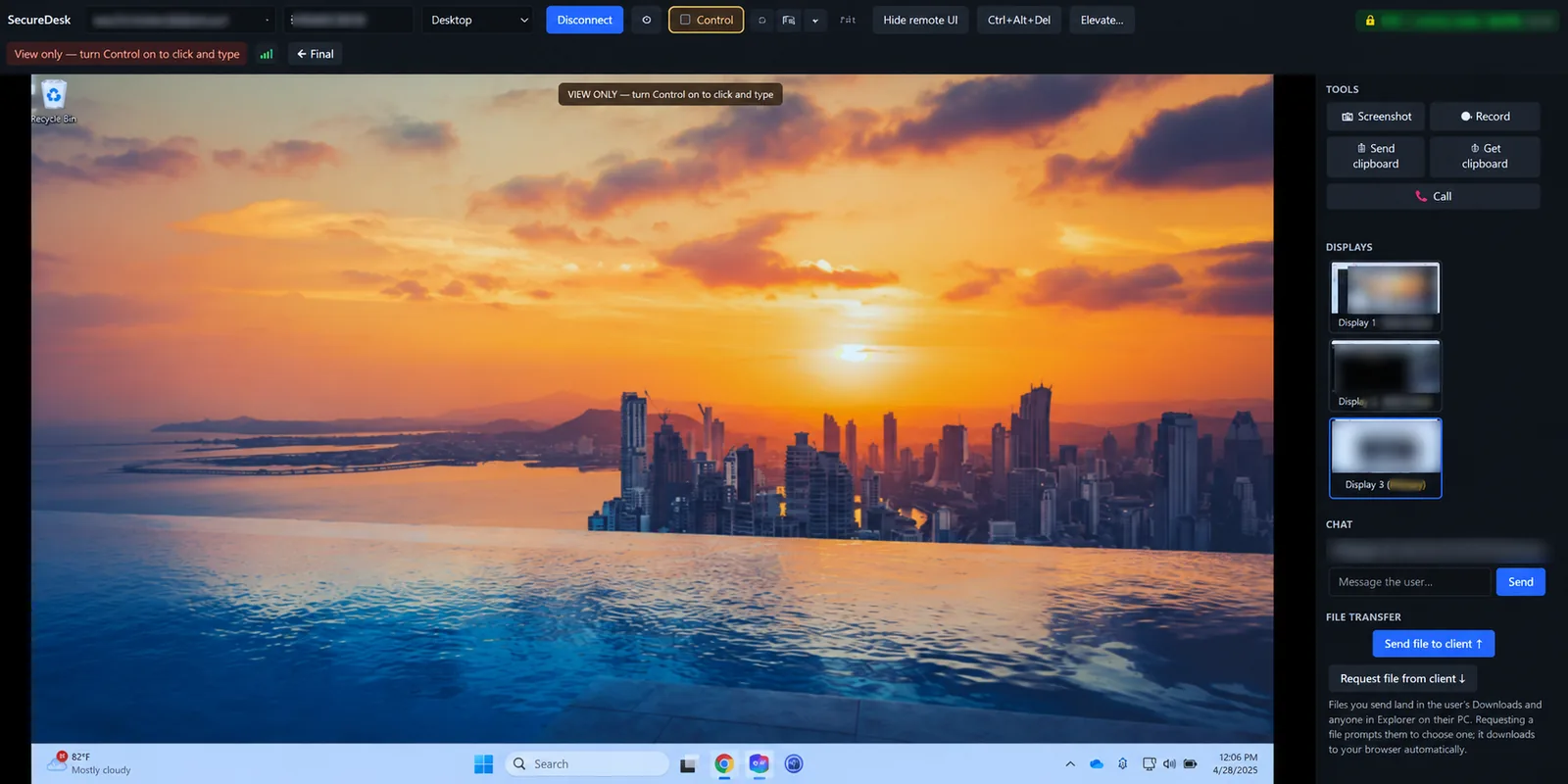
From “it's broken” to “it's fixed” in three steps.
Click a step, or let it play.
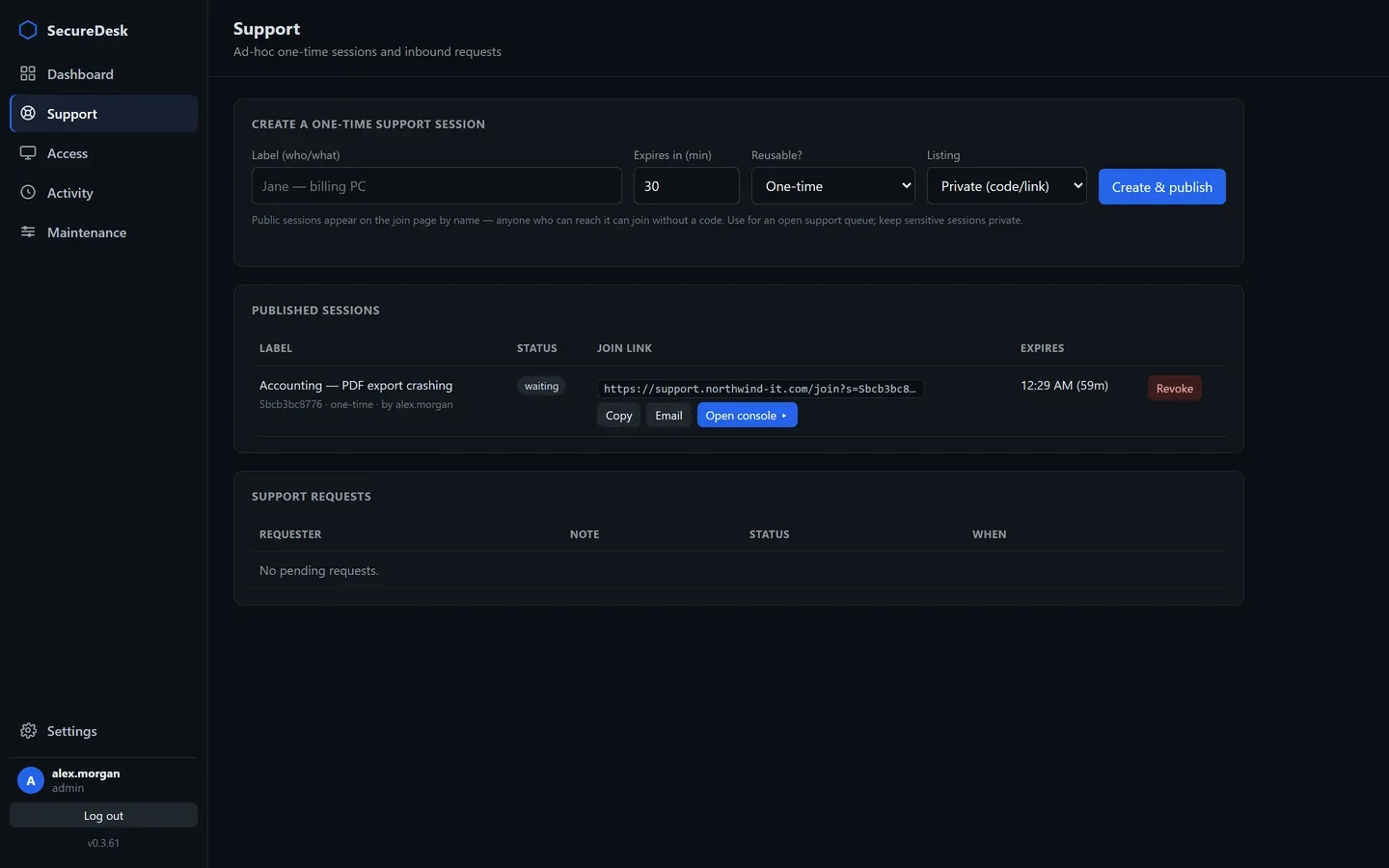
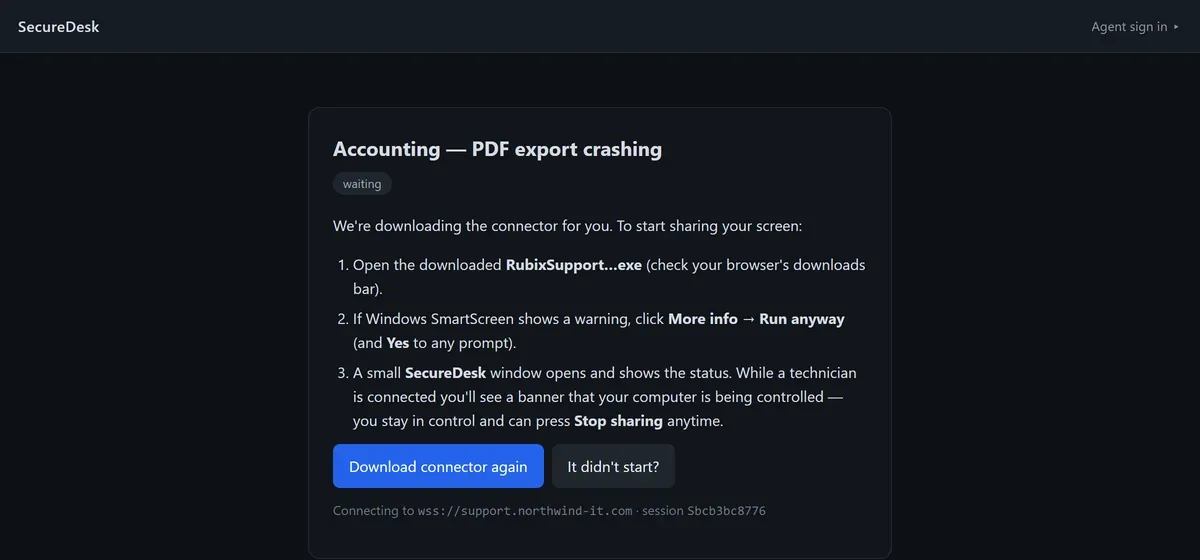
Everything you need to solve the problem.
Screen sharing
See the user's Windows desktop live in your browser, sized to fit your window.
Keyboard & mouse control
Switch from view-only to Control to click and type — the user can stop sharing at any time.
Chat
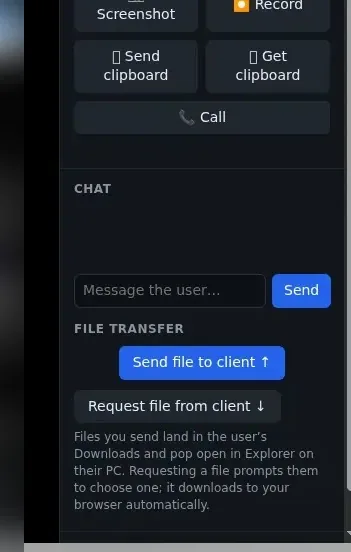
Message the user from the console while you work.
Voice call
Talk it through over the same encrypted channel, with optional webcam video from the technician.
Clipboard
Send or get clipboard text in either direction, on request.
Screenshot & recording
Grab a screenshot or record the session to a file on the technician's own computer.
Move files without another tool.
Send a file to the user or ask them for one. Files you send land in their Downloads folder; files you request download straight to your browser.
- Works in either direction
- Every file verified with SHA-256 on arrival
- No shared drive or email attachment needed
Secure Desk sends and requests individual files — it isn't a remote file browser.
Every screen, one click away.
Working on a machine with more than one display? Pick the screen you need from the Displays list in the console.
- Thumbnail of each display
- Switch any time during the session
- Ideal for wide, multi-screen workstations
Helpful for you. Respectful for them.
The user stays in control
They start the connector, see a banner while you're connected, and can stop sharing whenever they like.
Confirm the right PC
Both of you see the same 6-digit code, so you know you're connected to the right computer.
Private by design
The session is encrypted end to end. Your relay forwards it without being able to read it.
Remote support questions
Does the user need administrator rights?
No. The portable connector runs in the user's own session without installing anything or needing admin rights.
Can the user see when I'm connected?
Yes. While a technician is connected, the user sees a banner that their computer is being controlled, and can press Stop sharing at any time.
What happens when the session ends?
Closing the connector ends access. One-time links are consumed when their session ends; reusable links last until their expiry or until you revoke them.
What if I need admin rights during a session?
Use Elevate and enter that machine's own administrator account. The credentials are used once on that computer and are never stored, logged or sent to the portal. (Available on Team and Business.)
Is screen quality good enough for video?
Secure Desk is tuned for everyday desktop work, with quality presets up to 15 frames per second. It isn't designed for full-motion video.
Start helping people in minutes.
Remote support is included free on the Starter plan.